
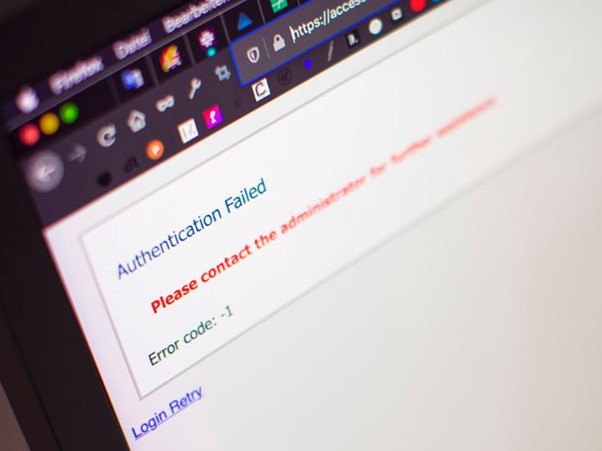
Most people have experienced an IT issue at work.
A system that suddenly won’t load.
A login that stops working.
An appointment program that freezes halfway through the day.
An email that looks like it came from the boss but feels slightly, or very wrong.
When things like this happen, the first instinct is usually to get back to work as quickly as possible. Someone restarts their computer. A colleague suggests logging out and trying again.
Maybe someone checks the internet router or searches the error message online.
But the real question rarely gets asked. Who should actually know about it?
In this InfoByte we look at:
- Common workplace IT issues people encounter
- Who these problems should ideally be reported to
- What it looks like when a business has a dedicated IT provider
- Why unreported issues can quietly create larger disruptions
Common workplace IT problems and who should handle them
Many everyday technology issues seem small on the surface, but they often relate to systems that sit behind the scenes.
Here are a few examples most workplaces will recognise.
Login problems or locked accounts
What: A staff member suddenly cannot access their system. This could be something simple like a password issue, but it can also indicate account permissions changing, login attempts from another location, or systems failing to sync properly.
Who: This type of issue should normally be reviewed by an IT service desk or system administrator who can check account activity and confirm everything is behaving as expected.
Read more about unusual login alerts and signs here.
Unexpected emails or messages
Emails that appear to come from management asking for urgent action are increasingly common. These messages might request document access, payment approval, or login confirmation.
They should always be forwarded to IT security support so the message can be examined properly. What looks like a harmless email can sometimes be part of a wider phishing attempt.
We discuss more on protecting your business from these kinds of threats here.
Software that stops responding
Practice management systems, accounting software, booking platforms, and document systems occasionally freeze or slow down.
While restarting the program might get things moving again, the underlying cause may sit within cloud services, servers, or application infrastructure, which typically requires review from a cloud or infrastructure specialist.
For practices, this article on IT outages helps explain all you need to know.
Internet or network interruptions
When internet connectivity drops, many teams instinctively contact their provider. While companies like Telstra or Optus manage the external connection, internal networks, routers, and system integrations are normally managed by an IT infrastructure provider.
In smaller workplaces these situations are often handled informally. Someone restarts a device, staff wait a few minutes and try again, or the issue gets mentioned casually without being formally reported.
If this is common in your workplace, you might be at risk of a network loop.
What happens when a business has a dedicated IT provider
In organisations with structured IT support, the process works very differently.
Staff know exactly where to report concerns. A service desk or support contact receives the report and reviews the issue within the wider environment, checking system activity, cloud performance, server behaviour, and security alerts to understand what is happening behind the scenes.
Sometimes the issue is resolved immediately. Other times the report reveals a pattern that leads to system updates, configuration changes, or preventative adjustments that stop similar disruptions occurring again.
For many Australian businesses, working with a local provider also means support remains onshore and accessible when needed.

When problems go unreported
Not every IT issue signals something serious, but unexplained login alerts, unusual emails, or unexpected system behaviour are often the first signs that something needs attention.
A strange login alert, an unusual email, or a small system change might not seem urgent at the time. However, these early signals are often where investigations begin.
Without a clear place to report concerns, these warning signs are easy to overlook.
Keeping business running smoothly
Technology plays a central role in modern workplaces, yet many teams still operate without a clear pathway for reporting issues.
Having someone responsible for managing systems, monitoring activity, and responding when something does not look right can make a significant difference to day to day operations.
If you are unsure whether your team has the right place to report IT concerns, it may be worth starting a conversation.
Even a short chat with our team can provide a clearer view of how issues should be handled and who should be responsible when they arise.